
Avast Mobile Security: Is It the Best Protection for Your Smartphone?
Leaving your smartphone unprotected invites everyday disasters.
Choose the best option for you
Smartphones have become essential tools in everyday life.
From banking apps and personal photos to emails and work documents, most of our sensitive data now lives inside our phones.
But with this convenience comes a growing risk: cyber threats targeting mobile devices are increasing every year.
Many people assume that only computers need antivirus protection.
In reality, smartphones are also vulnerable to malware, phishing attacks, spyware, and malicious apps.
This is where mobile security apps come in — and one of the most recognized names in this space is Avast Mobile Security.
But is it really the best option to protect your smartphone?
Let’s take a closer look.
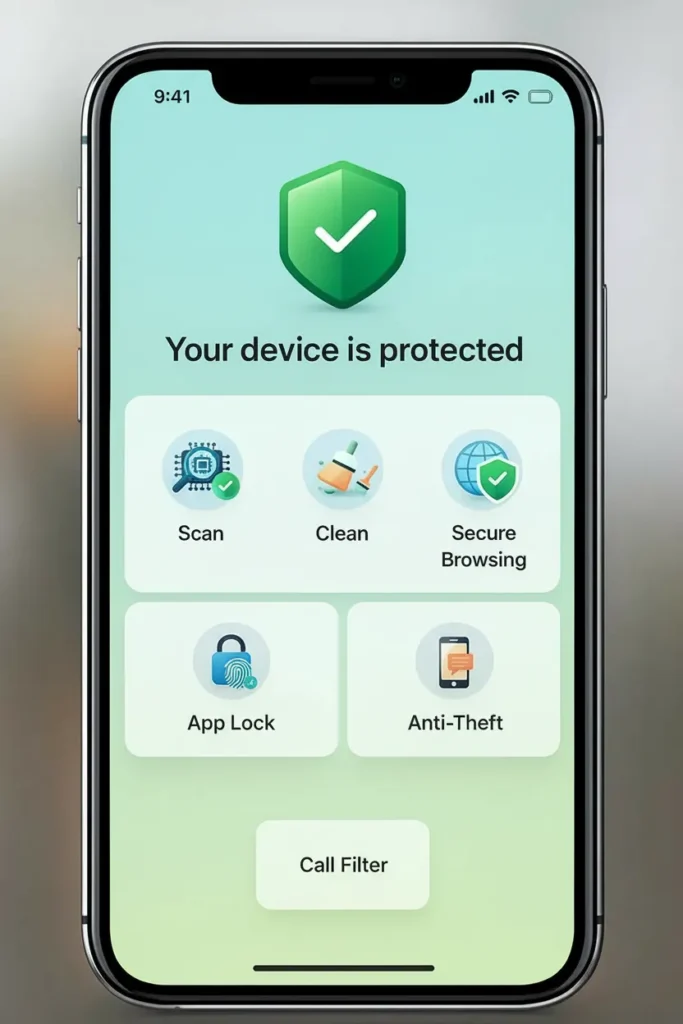
What Is Avast Mobile Security?
Avast Mobile Security is a cybersecurity application designed to protect smartphones from viruses, malware, spyware, and other digital threats.
The app works as an additional security layer that helps monitor your device and detect suspicious activity before it causes damage.
Available for Android and iOS, the app offers both free and premium versions with advanced protection features.
One of the reasons Avast has gained popularity worldwide is its accessibility.
The basic version is free and still includes powerful security tools that many users need for everyday protection.
Millions of users rely on Avast’s mobile protection tools to safeguard their devices against evolving cyber threats.
Key Features of Avast Mobile Security
Avast Mobile Security offers a wide set of features designed to keep your smartphone safe without slowing down the device.
Here are some of the main tools included in the app:
Real-Time Virus Protection
The app scans files, apps, and downloads in real time to detect malicious activity before it spreads through your phone.
It can identify viruses, ransomware, spyware, and other types of malware.
This continuous monitoring ensures that potential threats are detected quickly and removed before they compromise your personal data.
App Scanner
Another useful feature is the app scanner.
Avast automatically analyzes installed apps to identify suspicious permissions or harmful behavior.
If an application attempts to access sensitive information without a valid reason, the app alerts the user.
Wi-Fi Security Scanner
Public Wi-Fi networks can be risky.
Avast checks Wi-Fi connections and warns users if a network is unsafe or vulnerable to attacks.
This feature helps prevent data theft when connecting to cafés, airports, hotels, or other public networks.
Privacy Protection
Avast also includes tools designed to protect personal information.
Some versions offer features such as encrypted photo vaults, password monitoring, and alerts about data breaches affecting your accounts.
These tools help users stay aware of potential privacy risks.
Why Many Users Choose Avast
Several factors explain why Avast Mobile Security has become one of the most popular antivirus apps for smartphones.
Free Protection
One of its biggest advantages is the free version.
Even without paying for a subscription, users still receive virus scanning, malware detection, and basic protection tools.
Easy to Use
The interface is designed to be simple and intuitive.
Even users who are not familiar with cybersecurity tools can easily navigate the app.
Lightweight Performance
Security apps sometimes slow down smartphones.
Avast runs mostly in the background and generally does not significantly impact device performance or battery usage.
Trusted by Millions
Avast is widely recognized in the cybersecurity industry and its mobile app has been downloaded by hundreds of millions of users worldwide.
This large user base reflects the trust many people place in the software.
How to Download Avast Mobile Security
Installing Avast Mobile Security is quick and easy.
Here’s how you can set it up on your smartphone.
Step 1: Open the App Store
Go to the Google Play Store (Android) or the Apple App Store (iPhone).
Step 2: Search for the App
Type “Avast Mobile Security” in the search bar.
Look for the official Avast application.
Step 3: Install the App
Tap the Install or Get button and wait for the download to finish.
The process usually takes less than a minute depending on your internet connection.
Step 4: Complete the Setup
After installing the app, open it and follow the setup instructions.
The app will ask for a few permissions so it can monitor your device and detect threats.
Step 5: Run the First Scan
Once everything is set up, run the first security scan.
The app will check your device for malware, risky apps, and other potential threats.
From that point on, Avast continues monitoring your phone in the background.

Is Avast Mobile Security Worth It?
For most smartphone users, Avast Mobile Security offers a solid balance between accessibility, performance, and protection.
The free version already provides strong protection against common mobile threats, while the premium version unlocks additional privacy and security tools.
Of course, no security app can guarantee absolute protection.
However, combining a reliable antivirus app with safe browsing habits greatly reduces the chances of falling victim to cyberattacks.
In the end, Avast Mobile Security remains one of the most practical and accessible security solutions available for smartphones today.